
Inside the Jira issue
Create a reminder without leaving the Jira issue
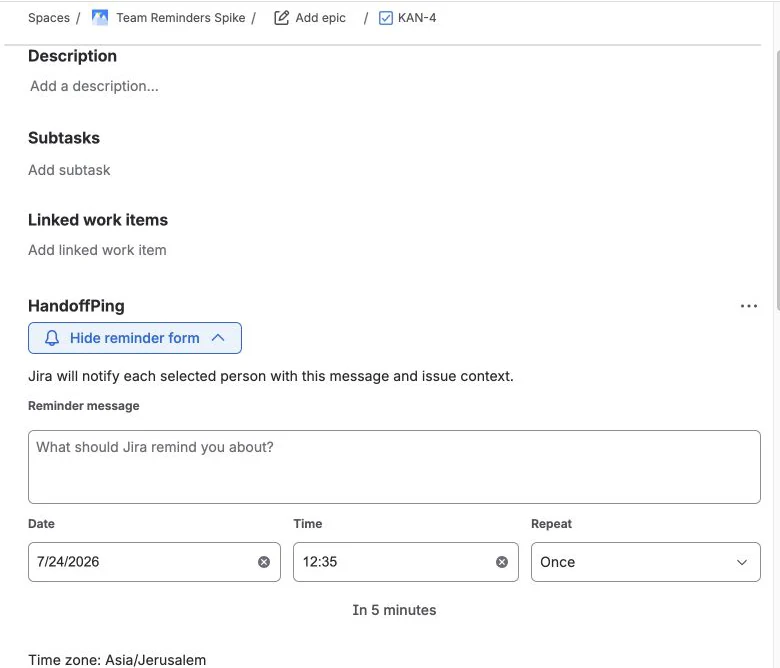
Open HandoffPing in the issue body, add the follow-up, choose when it should run, and decide who should get it. The form stays collapsed until you need it.
Free for Jira Cloud
Add a reminder to any Jira issue. HandoffPing checks who owns it when the reminder is due, notifies the right person, and stops recurring reminders when the issue is Done.
The actual workflow
HandoffPing lives where the work already happens. No separate inbox, no copied tickets, and no reminder form taking over the issue.
Inside the Jira issue
Open HandoffPing in the issue body, add the follow-up, choose when it should run, and decide who should get it. The form stays collapsed until you need it.
Attached to the work
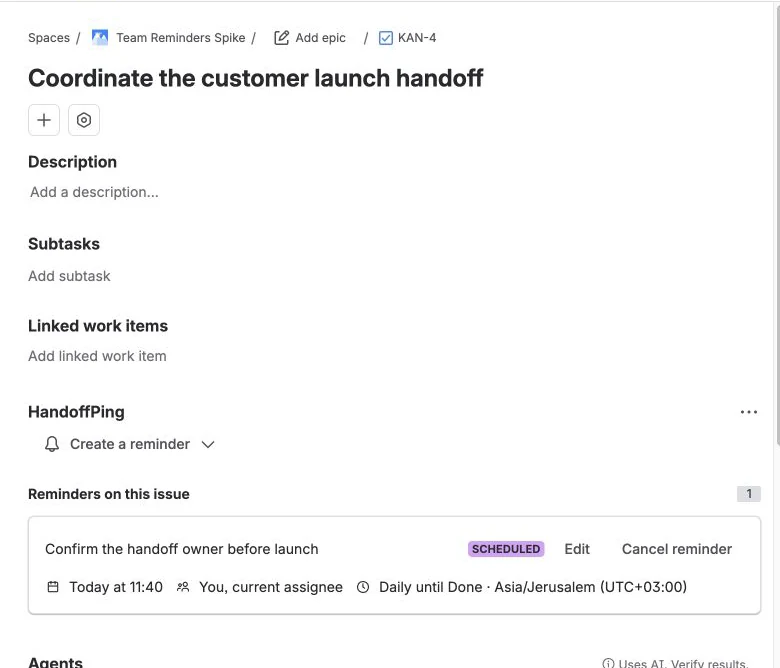
Once it is scheduled, the form gets out of the way. The issue shows the message, next delivery, recipients, recurrence, and controls in one compact card.
Across issues
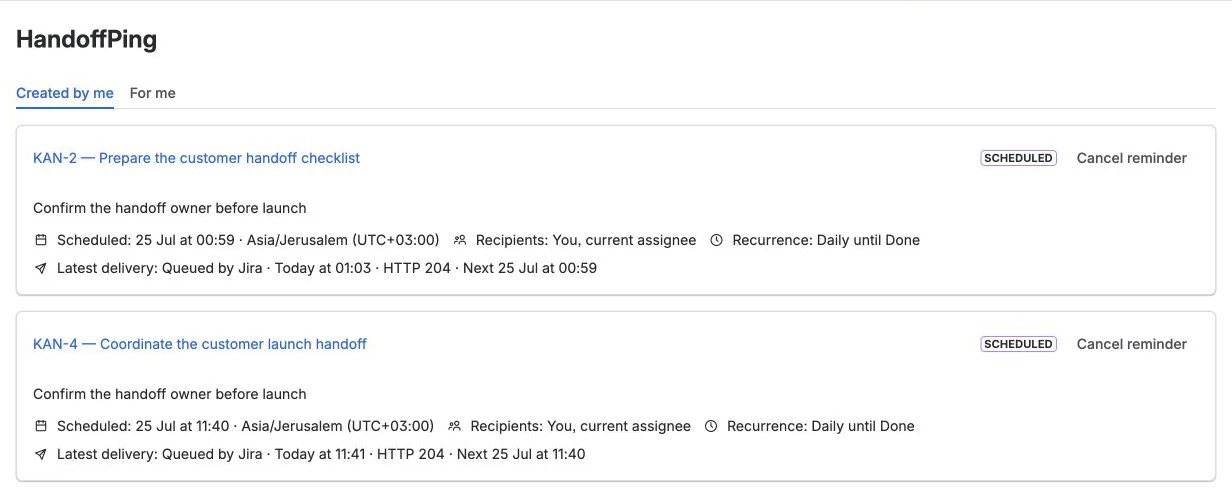
Use the HandoffPing page to review reminders created by you or addressed to you. Open the Jira issue or cancel an active schedule without hunting through projects.
Choose Current assignee once. HandoffPing looks it up again when the reminder is due.
Repeat a reminder each day. HandoffPing stops after Jira marks the issue Done.
Check what's scheduled, what Jira accepted, and retry a reminder when something fails.
Free for Jira Cloud
HandoffPing is free to install and use. If something feels awkward or a team feature would save you time, tell us. Early feedback will shape what we build next.
Before you install
See what HandoffPing stores in Forge, what it does not copy from Jira, and how records are deleted.
See how data is handledReview the app's Forge hosting, Jira permissions, input controls, dependency checks, and reporting channel.
Review securityThe ground rules for using HandoffPing free of charge.
Read the termsSomething not working? Email us. We usually reply within two business days.
Get help